7.5 KiB
| sidebar_label | sidebar_position |
|---|---|
| Style Demo | 99 |
Markdown Style Demo
A comprehensive preview of all markdown elements and styling for light/dark mode testing.
Typography
Headings
Heading 1
Heading 2
Heading 3
Heading 4
Heading 5
Heading 6
Body Text
This is a regular paragraph with bold text, italic text, and bold italic text. Here's some inline code as well. You can also use strikethrough text.
This paragraph contains a link to an external site and a link to internal docs.
Blockquotes
This is a blockquote. It's useful for calling out important information or quotes from other sources.
Nested blockquote with formatting
This blockquote contains multiple paragraphs and bold text.
This is a nested blockquote inside the first one.
Lists
Unordered Lists
- First item
- Second item
- Third item with sub-items
- Sub-item A
- Sub-item B
- Deep nested item
- Fourth item
Ordered Lists
- First step
- Second step
- Third step with sub-steps
- Sub-step A
- Sub-step B
- Fourth step
Task Lists
- Completed task
- Another completed task
- Incomplete task
- Another incomplete task
Code
Inline Code
Use the npx bmad-method install command to install BMAD.
Code Blocks
# Bash example
npx bmad-method install
npm run dev
// JavaScript example
function greet(name) {
  console.log(`Hello, ${name}!`);
  return { greeting: `Hello, ${name}!` };
}

const result = greet('BMAD');
// TypeScript example
interface Agent {
  name: string;
  role: string;
  workflows: string[];
}

const analyst: Agent = {
  name: 'Analyst',
  role: 'Project initialization',
  workflows: ['workflow-init', 'brainstorm'],
};
# YAML example
agent:
  metadata:
    id: analyst
    name: Analyst
  persona:
    role: Project Analyst
    principles:
      - Be thorough
      - Ask clarifying questions
{
  "name": "bmad-method",
  "version": "6.0.0",
  "description": "AI-driven development framework"
}
Code Block with Line Highlighting
function example() {
  // This line is highlighted
  const normal = 'not highlighted';
  // These lines are
  // also highlighted
  return normal;
}
Tables
Simple Table
| Agent | Role | Primary Workflows |
|---|---|---|
| Analyst | Project initialization | workflow-init, brainstorm |
| PM | Requirements | prd, tech-spec |
| Architect | System design | create-architecture |
| DEV | Implementation | dev-story, code-review |
Aligned Table
| Left Aligned | Center Aligned | Right Aligned |
|---|---|---|
| Left | Center | Right |
| Text | Text | Text |
| More | More | More |
Admonitions
:::note This is a note admonition. Use it for supplementary information that's nice to know but not critical. :::
:::tip[Pro Tip] This is a tip admonition with a custom title. Use it for best practices, shortcuts, and helpful hints. :::
:::info[Important Context] This is an info admonition. Use it for important context, definitions, or examples that help understanding. :::
:::warning[Watch Out] This is a warning admonition. Use it for potential issues, caveats, or things users should be careful about. :::
:::danger[Critical Warning] This is a danger admonition. Use it sparingly for critical warnings about data loss, security issues, or irreversible actions. :::
Admonitions with Content
:::tip[Multiple Elements] Admonitions can contain multiple elements:
- Bullet points
- Bold text
inline code
# Even code blocks
echo "Hello from inside an admonition"
And multiple paragraphs of text. :::
Links and Images
Links
Images
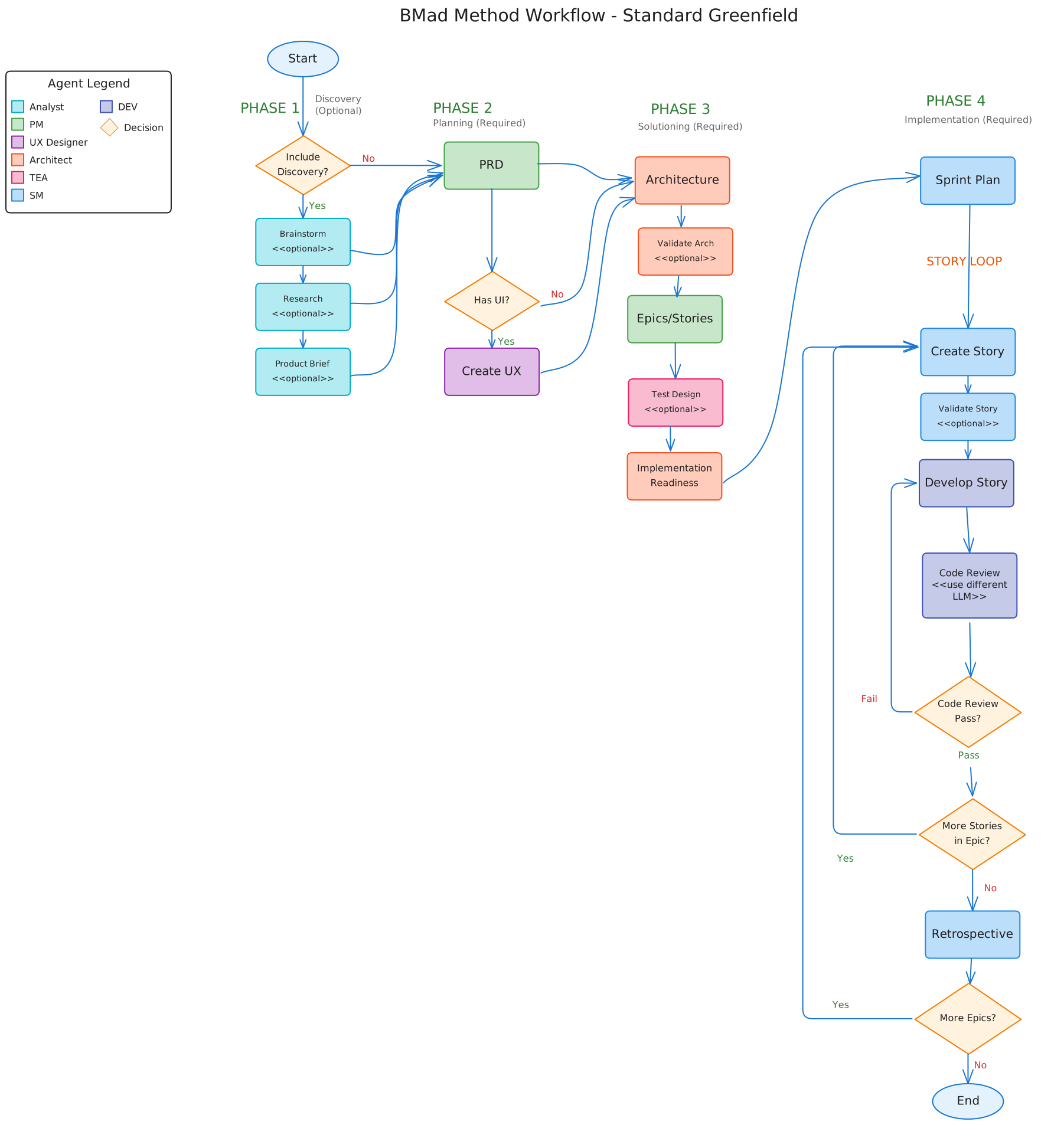
Caption: Example workflow diagram
Horizontal Rules
Content above the rule.
Content below the rule.
Details/Collapsible Sections
Click to expand this section
This content is hidden by default and can be expanded by clicking the summary.
- It can contain lists
- And formatted text
- And even code:
echo "Hidden code"
Another collapsible section
More hidden content here.
Special Elements
Keyboard Keys
Press Ctrl + C to copy.
On Mac, use Cmd + V to paste.
Abbreviations
The HTML specification is maintained by the W3C.
Subscript and Superscript
H2O is water.
E = mc2 is Einstein's famous equation.
Combined Examples
Card-Style Layout
Card Title
Card body content with bold and code.
Another Card
More card content here.
Buttons
Primary Button Secondary Button Outline Button
Mixed Content Block
:::info[Real-World Example] Here's how a typical workflow command looks:
- Load the PM agent in your IDE
- Run the PRD workflow:
*prd - Answer the agent's questions
- Review the output in
_bmad-output/PRD.md
| Step | Agent | Command |
|---|---|---|
| 1 | PM | *prd |
| 2 | Architect | *create-architecture |
| 3 | SM | *sprint-planning |
Result: A complete PRD document ready for architecture. :::
Color Palette Preview
These boxes show the primary color at various shades:
Labels (left to right): darkest, darker, dark, primary, light, lighter, lightest