 ad07aa34cd
Updated installation approach to use local repository paths instead of incorrect GitHub links: **New Local Installation Script (install-bmad.sh):** - Copies complete BMAD system from local repository to project - Installs both bmad-system/ and bmad-agent/ directories - Creates CLAUDE.md reference file in project root - Generates project-specific configuration - Automatic installation verification - Clear next steps guidance **Installation Process:** 1. Copy install-bmad.sh from BMAD repository to project directory 2. Run ./install-bmad.sh to install complete BMAD system 3. Creates .bmad/ directory with all system files and agents 4. Creates CLAUDE.md reference file for persistent Claude Code integration **Files Copied to Projects:** - Complete bmad-system/ documentation and modules - Complete bmad-agent/ personas, tasks, checklists, templates - Project-specific configuration (project-config.yml) - CLAUDE.md reference guide for Claude Code sessions **Updated Documentation:** - README.md: Local installation instructions instead of GitHub links - bmad-system/README.md: Complete installation process with file structure - CLAUDE.md: Persistent reference guide for Claude Code sessions **Usage Pattern:** 1. Download/clone BMAD-METHOD repository locally 2. Copy install-bmad.sh to your project 3. Run installation script 4. Reference CLAUDE.md in Claude Code sessions 5. Claude reads .bmad/ files for BMAD-powered development The Enhanced BMAD System now has a complete local installation system that works correctly with downloaded repositories. 🤖 Generated with [Claude Code](https://claude.ai/code) Co-Authored-By: Claude <noreply@anthropic.com> |
||
|---|---|---|
| .idea | ||
| .vscode | ||
| bmad-agent | ||
| bmad-system | ||
| docs | ||
| web-build-sample | ||
| .gitignore | ||
| README.md | ||
| build-web-agent.cfg.js | ||
| build-web-agent.js | ||
| install-bmad.sh | ||
README.md
The BMAD-Method 3.1 (Breakthrough Method of Agile (ai-driven) Development)
🚀 Enhanced BMAD System Available!
NEW: The Enhanced BMAD System provides enterprise-grade, autonomous development capabilities with Claude Code integration!
Quick Start with Enhanced BMAD System (Recommended for Claude Code Users)
Local Installation from Downloaded Repository
# Download or clone this repository first
git clone https://github.com/your-repo/BMAD-METHOD.git
cd BMAD-METHOD

# Copy install script to your project directory
cp install-bmad.sh /path/to/your-project/
cd /path/to/your-project/

# Run the installation script
./install-bmad.sh
Use with Claude Code
After installation, start Claude Code in your project:
Please read CLAUDE.md for the BMAD system setup guide and use the recommended startup prompt.
Or directly:
I have the Enhanced BMAD System installed in my .bmad/ directory.
Please read the documentation and help me build my project using BMAD intelligence.
Enhanced System Features: 4 autonomy levels, universal LLM integration, enterprise features, self-optimization, 27 comprehensive modules.
📚 Full Documentation: See /bmad-system/ directory for complete guides.
Original BMAD Method
Old Versions: Prior Version 1 Prior Version 2
Web Quickstart Project Setup (Original Method)
Orchestrator Uber BMad Agent that does it all - already pre-compiled in the web-build-sample folder.
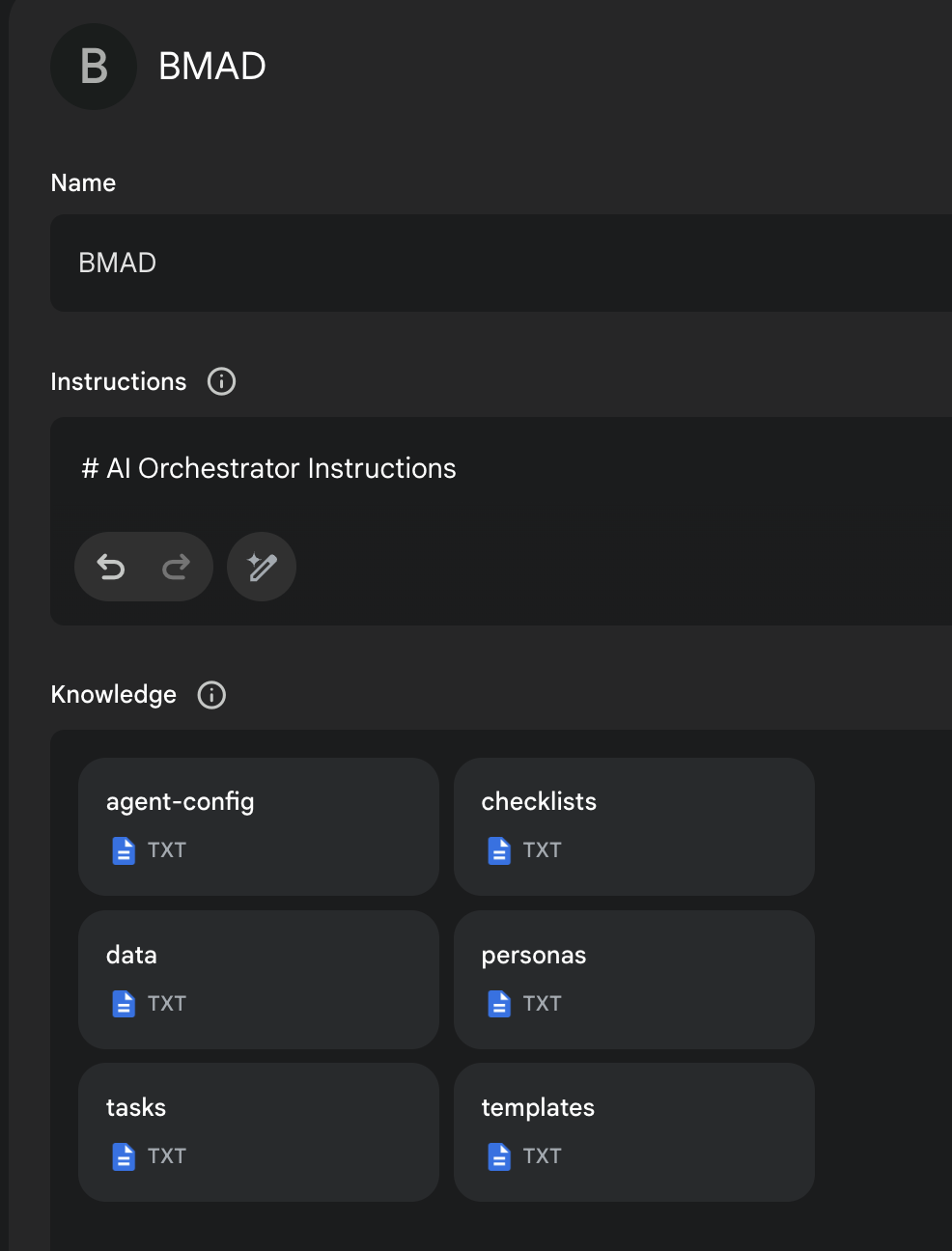
- The contents of Agent Prompt Sample text get pasted into the Gemini Gem, or ChatPGT customGPT 'Instructions' field.
- The remaining files in that same folder folder just need to be attached as shown in the screenshot below. Give it a name (such as BMad Agent) and save it, and you now have the BMad Agent available to help you brainstorm, research, plan, execute on your vision, or understand how this all even works!
- Once its running, start with typing
/help, and then type option2when it presents 3 options to learn about the method!
More Documentation, Explanations, and IDE Specifics available here!
End Matter
Interested in improving the BMAD Method? See the contributing guidelines.
Thank you and enjoy - BMad! License