 08fef8f012
|
||
|---|---|---|
| .github | ||
| bmad-agent | ||
| demos | ||
| docs | ||
| legacy-archive | ||
| web-build-sample | ||
| .augment-guidelines | ||
| .gitignore | ||
| CLAUDE.md | ||
| README.md | ||
| build-web-agent.cfg.js | ||
| build-web-agent.js | ||
| web-build-sample.md | ||
README.md
The BMAD-Method 3.1 (Breakthrough Method of Agile (ai-driven) Development)
Do This First, and all will make sense!
There are lots of docs here, but I HIGHLY suggest you just try the Web Agent - it takes just a few minutes to set up in Gemini - and you can use the BMad Agent to explain how this method works, how to set up in the IDE, how to set up in the Web, what should be done in the web or ide (although you can choose your own path also!) - all just by talking to the bmad agent!
Web Quickstart Project Setup (Recommended)
Orchestrator Uber BMad Agent that does it all - already pre-compiled in the web-build-sample folder.
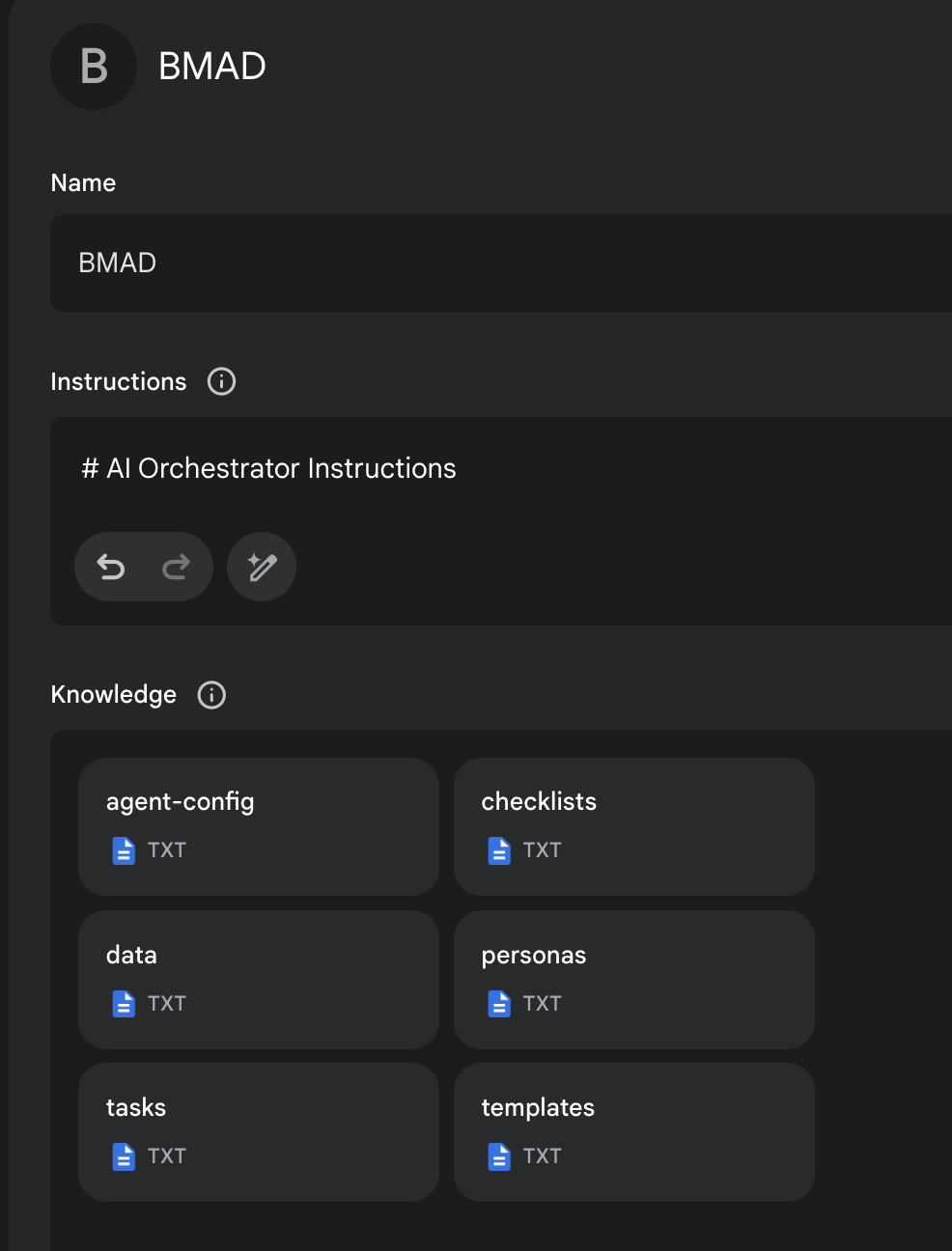
- The contents of Agent Prompt Sample text get pasted into the Gemini Gem, or ChatPGT customGPT 'Instructions' field.
- The remaining files in that same folder folder just need to be attached as shown in the screenshot below. Give it a name (such as BMad Agent) and save it, and you now have the BMad Agent available to help you brainstorm, research, plan, execute on your vision, or understand how this all even works!
- Once its running, start with typing
/help, and then type option2when it presents 3 options to learn about the method!
More Documentation, Explanations, and IDE Specifics available here!
End Matter
Interested in improving the BMAD Method? See the contributing guidelines.
Thank you and enjoy - BMad! License